Many production teams settle on a video frame rate simply by copying the settings from the previous project. That approach is safe until the problems appear: stuttering motion, flickering lights, or slow motion that cannot be used. The fps number is not a matter of taste, but a technical decision with long-running consequences. Choosing wrong on day one means compromising all the way to distribution.
This mistake is expensive because it only becomes apparent once editing is under way. The material has been gathered, the location has been struck, and reshooting means fresh costs. The problem gets more complicated when one piece of material has to run on television, YouTube, and a vertical feed at the same time. These considerations really belong in the same package as the video length you plan from the outset.
The way out is not memorising numbers, but understanding the logic behind them. Three factors determine the choice: where it will be shown, the lighting conditions on location, and the post-production plan. This piece breaks down all three, including one distinctly Indonesian trap that foreign guides rarely discuss.
Why Video Frame Rate Is Not Purely a Matter of Taste
The fps number determines how much motion information is captured each second. The higher the number, the smoother the movement looks, but the more the cinematic feel fades. At 24 fps, the eye receives the natural motion blur long associated with feature films.
At the other end, 60 fps produces an extremely clean look often described as the soap opera effect. For product demos or technical tutorials, that clarity is actually an advantage. For emotional storytelling, the result can feel cheap and flat.
Recording Frame Rate Versus Delivery Frame Rate
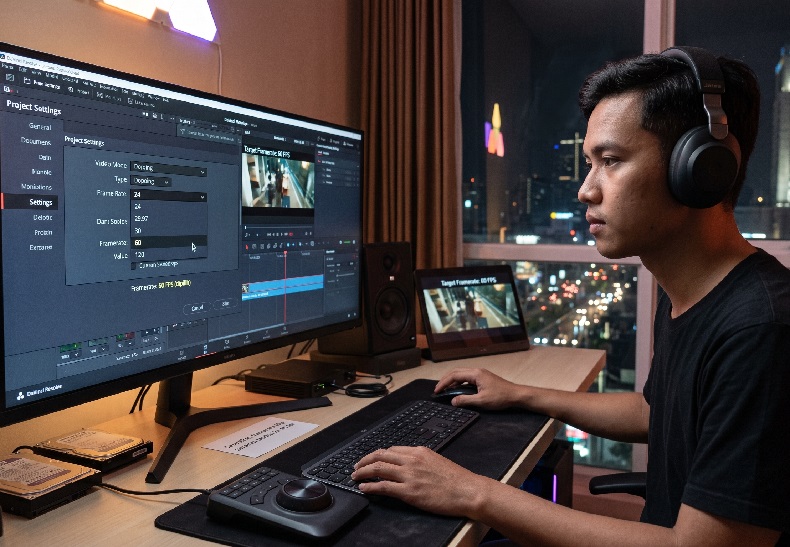
These two are frequently confused. Recording at 60 fps does not mean the final file has to play back at 60 fps. The common practice is to record high and then slow it down on the timeline for controlled slow motion. What matters is that the decision is made before the shoot, not after.
The 50Hz Trap Foreign Guides Rarely Mention
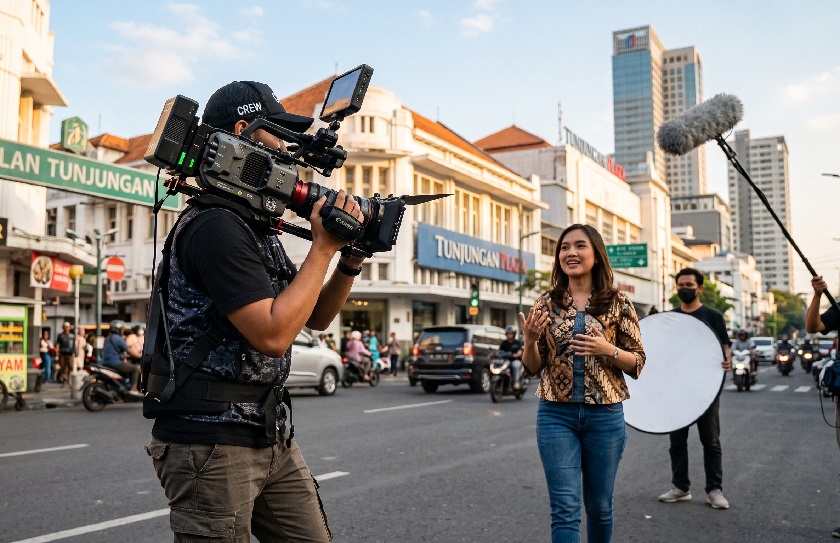
This is the part that most often catches practitioners in Indonesia. Most English-language tutorials are written for the 60Hz grid used in North America. Electricity in Indonesia runs at 50Hz, so LED and fluorescent lamps pulse one hundred times per second.
The consequence is real: dark and light bands rolling across the screen. Referring to the technical discussion at ProVideo Coalition, shooting at 24 or 30 fps under a 50Hz light source is best done with a 1/50 shutter to prevent flicker. The rule of setting the shutter at double the frame rate does not always apply here.
Safe Combinations on Locations with Cheap Lighting
A few combinations that have proven safe in rooms on a 50Hz supply:
- 25 fps with a 1/50 shutter for broadcast and corporate work
- 24 fps with a 1/50 shutter if a cinematic feel is still wanted
- 50 fps with a 1/100 shutter for smooth slow motion without flicker
Run one short test take on location before the full shoot. Ten seconds of footage is enough to reveal whether flicker is present.
A Quick Video Frame Rate Guide by Requirement
| Delivery Requirement | fps Choice | Technical Reason |
| Short films, brand stories | 24 fps | Natural motion blur, strongest cinematic feel |
| Company profiles, interviews | 25 or 30 fps | Stable motion, safe for large screens and broadcast |
| Product demos, technical tutorials | 30 fps | Motion detail reads clearly without feeling excessive |
| Sport, fast action | 60 fps | Panning stays smooth with minimal judder |
| Planned slow motion | 60 to 120 fps | Slows down on the timeline without losing smoothness |
This table belongs in the pre-production meeting, not on set once the camera is already running. Agreeing on one number at the start prevents mismatched material ending up in the same folder.
Mistakes You Only Discover at the Edit Desk
The most common problem is material shot at mixed frame rates within one project. The editor is forced to convert, and the motion turns stuttery. Converting from 30 to 24 fps almost always leaves an odd trace in the movement.
The second mistake involves last-minute slow motion. A 24 fps clip forced to slow down will judder because there are no extra frames to fill the gaps. Interpolation features in software do help, but they produce artefacts around the edges of moving objects.
The following sequence reduces that risk from the start:
- Determine the primary platform where the video will be shown
- Lock the project frame rate and share it with every camera operator
- Flag the scenes planned for slow motion before the shoot
- Record those scenes separately at a higher frame rate
- Test one clip on the timeline before the location is struck
Settling on the Number Before the Camera Rolls
In short, no single number is superior in absolute terms. 24 fps delivers a cinematic feel, 30 fps delivers stability, 60 fps delivers clarity of motion. Indonesia’s 50Hz electrical supply adds a further layer of consideration that cannot be skipped.
For work such as a company profile video or commercial advertising material, this decision is ideally made together with the production team at the concept stage. High Angle routinely sets the technical specification up front, including a flicker test on location before the full shoot. That simple step saves editing time and avoids reshoots.
Frequently Asked Questions
- Is 60 fps always better than 24 fps?
No, because 60 fps removes the motion blur that a cinematic look actually depends on. - What if the material has already been recorded at different frame rates?
Unify it at the dominant highest frame rate, then accept a slight loss of smoothness in the converted clips. - What fps is safe for shooting in an office with LED lighting?
Use 25 fps with a 1/50 shutter, the most stable combination on a 50Hz supply.